
 QuickBooks
 Puzzle
 Zeni
Zeni Pilot
Pilot Numeric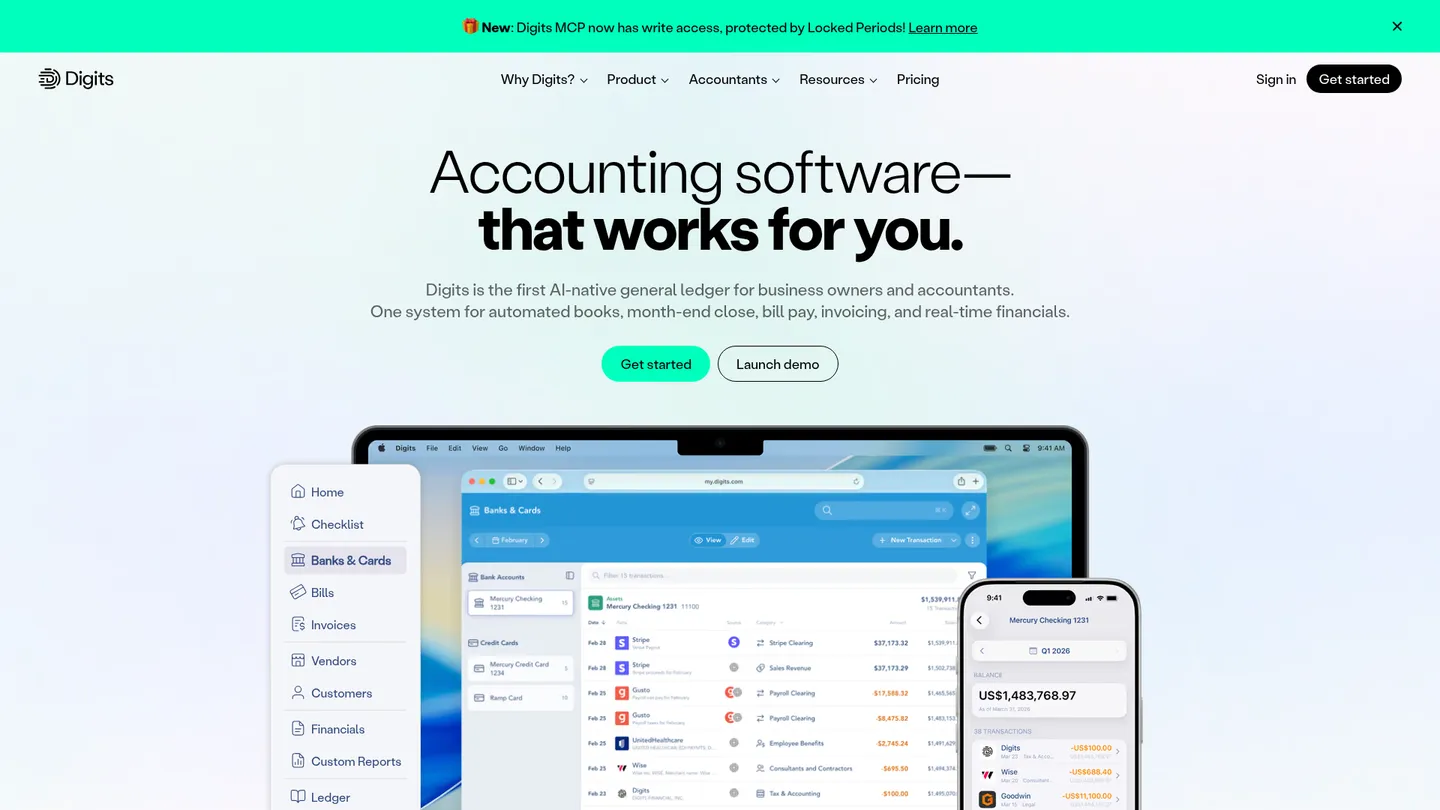
What is Digits?
Founded in 2018 and headquartered in San Francisco, Digits provides AI-native accounting software for small businesses, startups and accounting firms. The company has raised $97.5 million, including a $65 million Series C.
Digits is an AI-native general ledger and accounting platform that maintains a live record of business finances. It connects bank accounts, cards, payroll and payment services, imports transactions, categorizes activity, reconciles accounts and produces current financial statements. Users can drill from reports into transactions, review exceptions through a checklist, collaborate with accountants, and manage bill pay and invoicing from the same ledger. Its Agentic General Ledger also provides a developer API and read-only MCP access for connected tools.
The platform covers day-to-day bookkeeping, bank reconciliation, financial reporting, dashboards, document storage, vendor and customer tracking, bill pay, invoicing, dimensions, automated schedules and quality checks. It includes iPhone and iPad apps and connects to more than 12,000 banks, cards and payroll providers. Digits supports cash and accrual accounting, but its services are limited to US-based entities and USD. It prepares tax packages for handoff rather than filing taxes itself.
Digits business plans are priced per company with unlimited users rather than per seat. Public pricing starts at $65 per month for Essentials, followed by Core at $100 per month; Pro is listed at $250 per month and marked coming soon. The company offers a 30-day free trial and no setup fees. Accounting firms use separate per-client plans, including free Firm Free Books for the firm’s own books and paid client plans starting at $10 per month.
Key features
AI bookkeeping
Categorizes transactions continuously and uses connected banking, card and payroll context to reduce manual bookkeeping.
Bank reconciliation
Matches financial activity against the ledger continuously and surfaces exceptions for review.
Real-time financials
Produces current profit and loss, balance sheet, cash-flow statements, dashboards and transaction drill-downs.
Bill pay and invoicing
Provides accounts-payable approvals, payments and invoice creation within the same accounting workspace.
Quality control
Checks coding, balances, duplicates and anomalies while routing review tasks through a prioritized checklist.
Firm collaboration
Supports accountant access, unlimited team seats, roles, permissions, comments, documents and client management.
Developer connectivity
Offers API and MCP access for authorized programmatic connections to ledger data and workflows.
Digits pricing
Business plans start at $65 per month for Essentials and $100 per month for Core. Pro is listed at $250 per month but is marked coming soon. Accounting firms are billed per client account rather than per seat, with free Firm Free Books and paid client plans starting at $10 per month.
| Plan | Price | What's included |
|---|---|---|
| Essentials | $65/moSolopreneurs and early-stage businesses | Core accounting, AI bookkeeping and reconciliation, bank and payroll connections, financials, bill pay, invoicing, mobile apps, vault, quality checks, API and MCP access, and firm-partner custom reports and dashboards |
| Core | $100/moSmall businesses and growing companies | Everything in Essentials plus dimensional accounting, automated schedules, and expanded custom reports and dashboards |
| Pro | $250/moComing soon; scaling businesses with internal finance teams | Everything in Core plus budget-versus-actuals, custom reports, custom dashboards, and advanced reporting for internal finance teams |
| Low Volume | $10/moAccounting-firm client plan for up to 250 transactions per year | Core ledger, vendor and customer lists, Ask Digits, AI reconciliations, vault, checklist and API access |
| Starter for Firms | $35/moAccounting-firm plan for tax and write-up clients | Core ledger, financial insights, AI bookkeeping and reconciliation, documents, inbox, connections and API access |
Free trial: 30-day free trial.
Pros & cons
Pros
- Business pricing includes unlimited users rather than per-seat charges.
- Automates categorization, reconciliation and quality checks in a single ledger.
- Connects to more than 12,000 banks, cards and payroll providers.
- Combines client collaboration, documents, reporting, bill pay and invoicing in one workspace.
Cons
- The product is currently available only to US-based entities using USD.
- Digits prepares tax-ready books but does not file taxes itself.
- Pro is publicly listed but still marked coming soon.
- QuickBooks migration is a one-time import rather than an ongoing two-way sync.
Who is Digits best for?
- US startups that want current books without building a large finance operation.
- Small businesses combining bookkeeping, invoicing and bill pay in one ledger.
- Accounting firms managing multiple client books with per-client plans.
- Finance teams that need live dashboards and transaction-level drill-downs.
Coverage
Integrations
Notable customers
Frequently asked questions
How much does Digits cost?
+
The lowest public business plan is Essentials at $65 per month. Core costs $100 per month, while Pro is listed at $250 per month and marked coming soon. Accounting firms use separate per-client pricing, including plans from $10 per month.
How long does Digits take to set up and how does it work?
+
Digits connects bank, card, payroll and payment accounts, imports activity, and continuously categorizes and reconciles transactions. QuickBooks migration occurs during initial setup through a selected cutover date, while ongoing connections keep new activity flowing into the ledger.
How does Digits compare with QuickBooks?
+
Digits is built around an AI-native general ledger with automated bookkeeping, reconciliation, quality checks and live drill-down reporting. QuickBooks can be used as the migration source, but Digits’ QuickBooks connection is a one-time historical import rather than a continuing two-way integration.
What integrations does Digits support?
+
Digits connects to more than 12,000 banks, cards and payroll providers and lists native connections including Mercury, Ramp, Gusto, BILL, Stripe, Arc, Ignition and Reach Reporting. It also supports API and MCP access for authorized developer workflows.
Who is Digits for?
+
Digits targets US small businesses, startups, growing companies and accounting firms. Essentials is positioned for solopreneurs and early-stage businesses, while Core serves small and growing companies; firms can assign different plans to different client accounts.
Is Digits secure and accurate enough for accounting?
+
Digits states that it is SOC 2 Type II certified, encrypts data in transit and at rest, uses revocable bank-access tokens, and does not store bank logins. Its automated quality checks and reconciliation workflows support review, but businesses should still validate financial statements and tax outputs with a qualified professional.
Sources
Facts and pricing verified on October 19, 2026. Vendors change pricing often, so confirm with Digits before buying. How we research