
 QuickBooks
 Pilot
Pilot Puzzle
 Digits
 Zeni
Zeni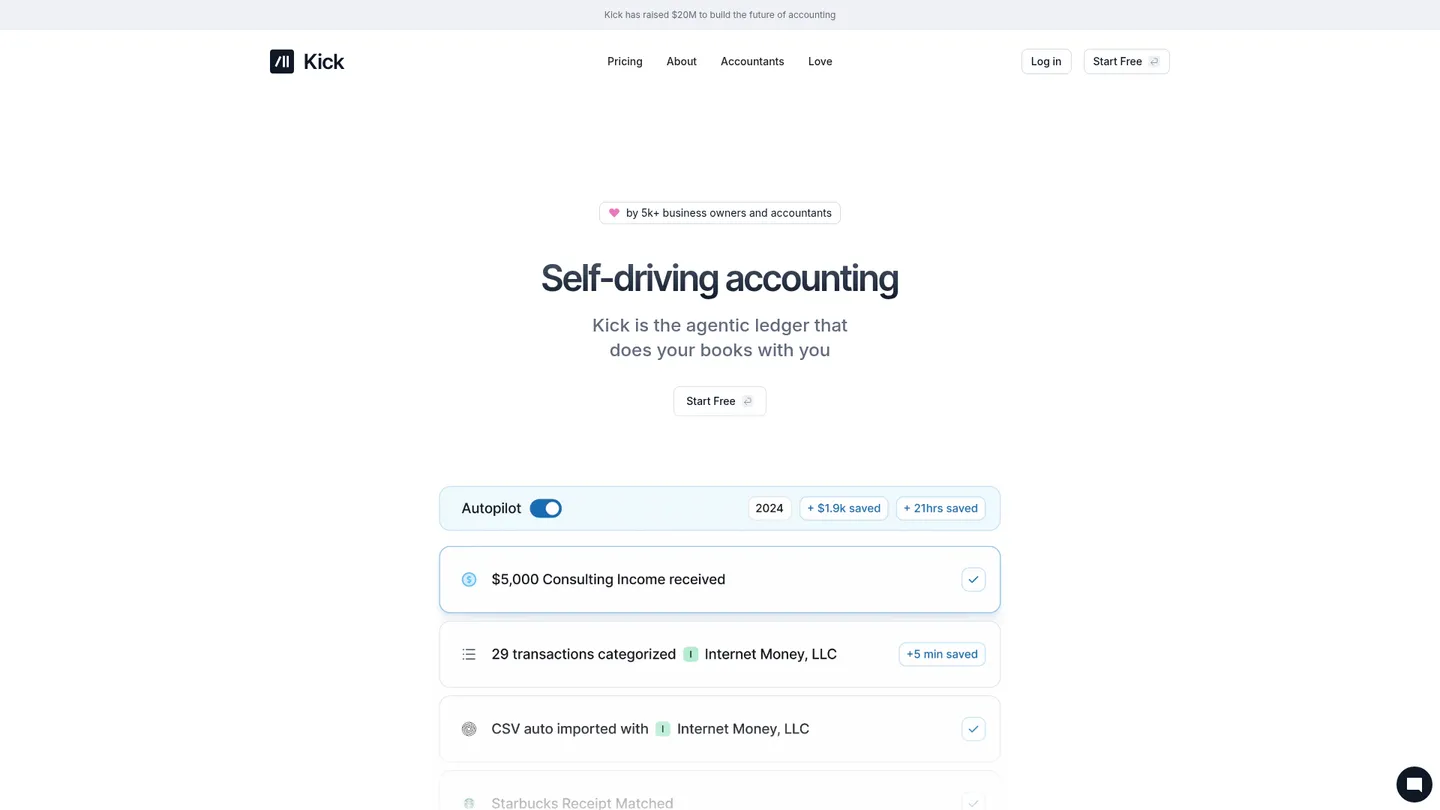
What is Kick?
Founded in 2023, Kick is a self-driving bookkeeping platform for entrepreneurs and accounting firms. The company says more than 3,000 businesses had switched to Kick by November 2025 and that it raised $20 million in 2025.
Kick is an agentic bookkeeping platform that connects business accounts, imports transactions and documents, categorizes activity, matches receipts and produces tax-ready financials. Its workflow combines automation with expert review and supports cash-basis bookkeeping, reconciliation, statement synchronization and accountant-facing reporting. Users can view Profit and Loss and Balance Sheet reports, automate journal entries, apply suggested rules and manage financial data across entities when their plan includes multi-entity accounting.
The feature set spans automated categorization, receipt and document matching, bank and statement connections, reconciliation, payroll reconciliation through Gusto, accounts receivable and payable workflows, classes, locations, projects, products and accrual accounting. Higher tiers add consolidation, eliminations, revenue recognition, prepaid and accrued workflows, fixed assets and multi-book functionality. Kick remains focused on US businesses and is less suited to organizations needing broad international coverage or specialized inventory accounting.
Kick sells plans directly to businesses and also supports accountants, technical teams and larger client portfolios through separate service tiers. The free plan covers one entity and 250 business-expense transactions per year; Basic starts at $40 per month billed annually, Plus is $100 per month billed quarterly and Advanced is $300 per month. Additional entities receive their first 250 transactions free, then cost $50 per month, while accountant and enterprise services use separate plan structures.
Key features
Automated categorization
Categorizes transactions automatically and lets users personalize decisions with suggested rules.
Receipt matching
Matches receipts, invoices and bills to financial activity to reduce manual document handling.
Financial reporting
Produces Profit and Loss, Balance Sheet, vendor-expense and other management reports.
Bank reconciliation
Synchronizes statements and supports reconciliation workflows for connected financial accounts.
Multi-entity accounting
Tracks entities, ownership, intercompany activity and consolidated reporting on eligible plans.
Accrual workflows
Supports accrual ledgers, prepaid costs, accrued expenses, revenue recognition and fixed assets on higher tiers.
Accounting automation
Automates journal entries, AR matching, payroll reconciliation and recurring financial workflows.
Kick pricing
Kick offers a free plan for one entity and up to 250 business-expense transactions per year. Business Basic costs $40 per month when billed annually, Plus costs $100 per month billed quarterly and Advanced costs $300 per month billed monthly. Additional entities include 250 transactions free before a $50 monthly charge, while accountant, platform and enterprise services use separate plan structures.
| Plan | Price | What's included |
|---|---|---|
| Free | $0/mo | One entity, up to 250 transactions per year, auto categorization, receipt matching, Profit and Loss, Balance Sheet and core connections. |
| Basic | $40/mo billed annually | Everything in Free, unlimited categorization, MCP/CLI, universal importer, reconciliation, statement sync, suggested rules and expanded reporting. |
| Plus | $100/mo billed quarterly | Everything in Basic, multi-entity support, classes, AR/AP automation and an accrual ledger. |
| Advanced | $300/mo | Everything in Plus, consolidation, revenue recognition, prepaid and accrued workflows, multi-book beta and advanced multi-entity reporting. |
| Accountant and platform plans | Custom | Client migration, training, recurring workflows, permissions, webhooks, API and CLI automation, dedicated support and enterprise capabilities. |
Free trial: Free plan available; no fixed time-limited trial is confirmed.
Pros & cons
Pros
- A free plan covers one entity and 250 annual transactions.
- Paid tiers separate core bookkeeping automation from accrual and consolidation features.
- Direct connections include Stripe, Gusto, Ramp, Mercury and other startup finance tools.
- Automation includes categorization, document matching, journal entries and payroll reconciliation.
Cons
- The product is focused on US businesses rather than global accounting operations.
- Inventory-heavy and specialized businesses may need additional accounting systems.
- Consolidation, revenue recognition and multi-book features require higher-tier plans.
- Accountant, platform and enterprise services have separate structures that can make comparison less straightforward.
Who is Kick best for?
- US entrepreneurs who want automated bookkeeping without maintaining a full accounting ledger manually.
- Small businesses that need tax-ready Profit and Loss and Balance Sheet reports.
- Multi-entity operators that need consolidation or accrual reporting on higher tiers.
- Accounting firms managing client books with migration, automation and platform tools.
Coverage
Integrations
Notable customers
Frequently asked questions
How much does Kick cost?
+
Kick offers a free plan for one entity and up to 250 business-expense transactions annually. Basic starts at $40 per month when billed annually, Plus is $100 per month billed quarterly and Advanced is $300 per month. Additional entities receive 250 transactions free, then cost $50 per month.
How does Kick work and how long does onboarding take?
+
Kick connects financial accounts, imports transactions and documents, then applies automated categorization, matching and reconciliation workflows. The platform supports self-serve migration as well as done-for-you migration and training through higher-level service plans; onboarding time depends on account history and entity complexity.
How does Kick compare with QuickBooks?
+
Kick emphasizes automated bookkeeping, document matching and expert review, with a free entry tier for small businesses. QuickBooks offers a broader established accounting ecosystem and app marketplace, while Kick is better aligned with owners and firms prioritizing automated bookkeeping workflows.
Which integrations does Kick support?
+
Kick lists Stripe, PayPal, Mercury, Plaid, Ramp and Gusto among its financial and payroll connections. Its paid plans also list ChatGPT, Claude and Cursor in the automation and developer-tool workflow.
Who is Kick for?
+
Kick is designed for US-based entrepreneurs, small businesses, accountants and bookkeeping firms. It fits service businesses and multi-entity operators that need automated categorization, tax-ready reports, accrual accounting or consolidated financials.
Is Kick secure and accurate enough for financial reporting?
+
Kick lists SOC 2 Type II controls, AES-256 encryption at rest, TLS encryption in transit, US hosting and accounting-period locks. Its automated categorization and document matching workflows should still be reviewed by users or accounting professionals before financial statements are finalized.
Sources
Facts and pricing verified on October 19, 2026. Vendors change pricing often, so confirm with Kick before buying. How we research