
 Sovos
Sovos Avalara
 QuickBooks
 ADP
ADP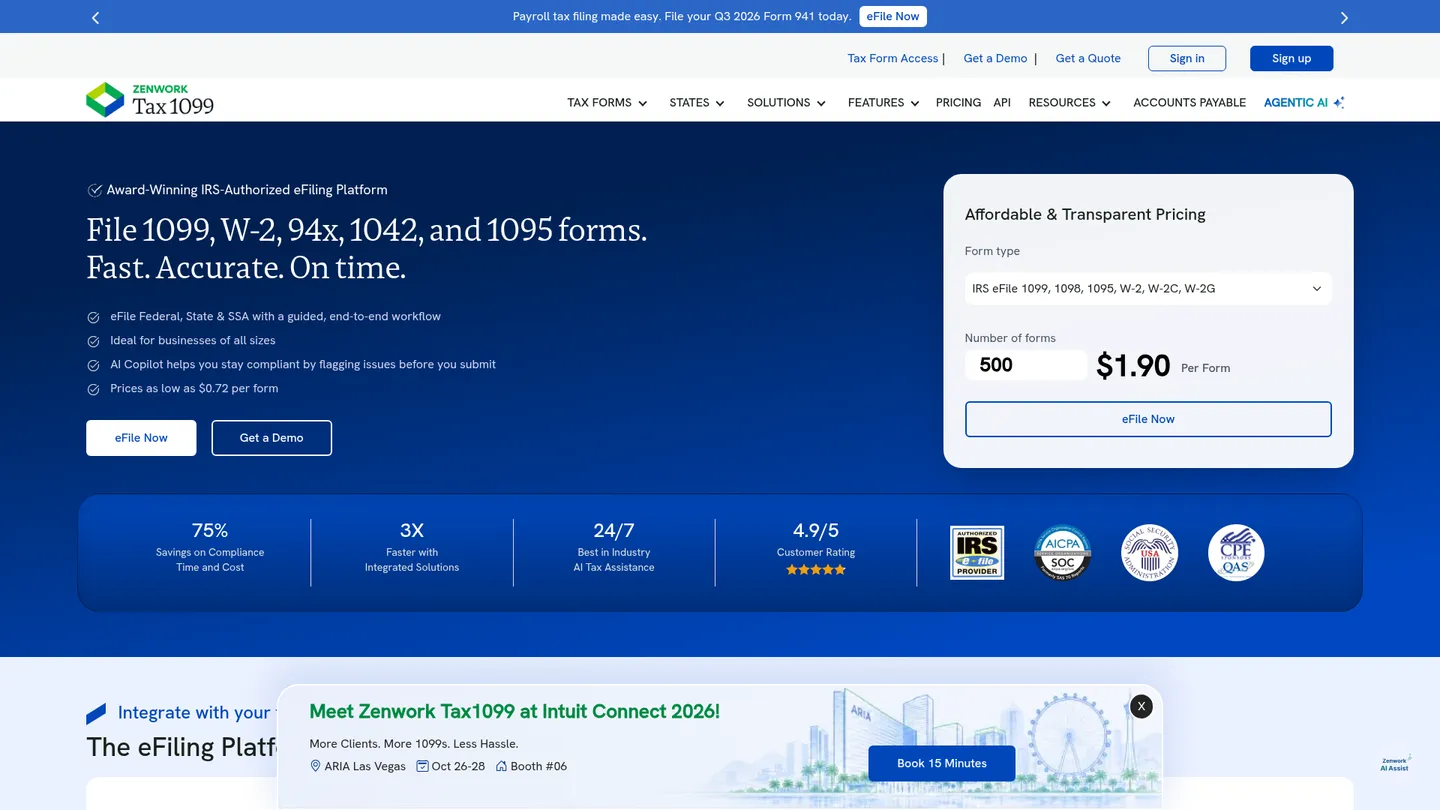
What is Tax1099?
Founded in 2010 and headquartered in Fayetteville, Arkansas, Tax1099 is a Zenwork tax-filing platform. It supports federal, state, and SSA filing, imports, TIN matching, recipient delivery, and workflow controls.
Tax1099 is a cloud-based filing service that takes businesses from data import through validation, submission, and recipient distribution. Users can enter forms manually or import CSV, Excel, PDF, and accounting-system data, then file with the IRS, participating states, and SSA. The workflow includes scheduling, corrections, rejected-form resubmission, USPS address validation, downloadable payer and recipient copies, and four-year storage with audit trails.
Coverage spans more than 40 tax forms, including 1099, W-2, 94x, ACA, 1042, 1095, 1098, 5498, and selected 480 forms. TIN matching, W-9 and W-8 solicitation, print and mail, IRS-compliant eDelivery, notices, and AI assistance extend the platform beyond basic submission. Essential includes core filing, but team administration, API access, workflow management, user controls, and notice management require higher plans.
Tax1099 serves small businesses, seasonal filers, bookkeepers, CPA firms, payroll teams, and larger organizations managing multiple payers or high filing volumes. Essential has no annual subscription but charges per form, starting at $2.99 for the first 20 forms on selected form types; rates can fall to $0.72 at higher volumes. Teams costs $249 annually and Scale costs $349 annually, with add-ons priced separately.
Key features
Federal and state filing
Files supported tax forms with the IRS, participating states through the combined federal-state program, and SSA.
Form imports
Imports data through CSV, Excel, PDF, and connections to supported accounting and business systems.
TIN matching
Provides real-time TIN matching for $1 per request and bulk matching for $150 per 10,000 records.
Recipient delivery
Supports downloadable copies, domestic print and mail at $1.95 per form, foreign mail at $4.99, and eDelivery at $0.50 per form.
Workflow controls
Scale adds API access, user management, action tracking, workflow management, and notice management.
Validation and corrections
Checks form data, validates USPS addresses, supports corrections and voids, and resubmits rejected IRS forms.
Tax record storage
Stores filed records for four years and provides reports and audit trails across the account.
Tax1099 pricing
Essential charges by form, with selected form types priced at $2.99 each for the first 20 forms and as low as $0.72 each at higher volumes. Teams costs $249 per year, while Scale costs $349 per year. TIN matching, delivery, mailing, eDelivery, and other services can add separate usage fees.
| Plan | Price | What's included |
|---|---|---|
| Essential | $0 annual subscription; pay per form | Federal, state, and SSA filing, corrections and voids, scheduling, rejected-form resubmission, copies, USPS validation, imports, integrations, four-year storage, audit trails, reports, AI assistance, and two-factor authentication |
| Teams | $249/yearFormerly eFile Plus | Essential features, multi-user access, team creation, reporting, collaboration, and 250 free TIN-match credits |
| Scale | $349/yearFormerly Enterprise; SSO requires a one-time implementation fee | Teams features, API access, workflow management, user management, action tracking, bulk TIN matching workflow, and notice management |
Free trial: Essential has no annual subscription fee and requires no upfront payment or credit card to begin filing.
Pros & cons
Pros
- Essential avoids an annual subscription and starts at $2.99 per form for selected forms.
- Supports more than 40 forms across federal, state, and SSA filing.
- Offers 12+ no-code integrations plus CSV, Excel, PDF, and API workflows.
- Includes corrections, rejected-form resubmission, address validation, and four-year storage.
Cons
- The lowest advertised $0.72 rate applies only at higher volumes and selected form types.
- Teams and Scale add annual subscription costs to per-form filing fees.
- TIN matching, print and mail, eDelivery, and other services carry separate charges.
- API access, workflow management, and notice management are limited to Scale.
Who is Tax1099 best for?
- Small businesses filing 1099 forms without an annual platform fee.
- CPA and bookkeeping firms managing multiple payers.
- Finance teams needing accounting-system imports and recipient delivery.
- High-volume filers requiring API and workflow controls.
Coverage
Integrations
Notable customers
Frequently asked questions
How much does Tax1099 cost?
+
Essential has no annual subscription fee, but filing is usage-based. Selected form types start at $2.99 per form for the first 20 forms, with advertised rates as low as $0.72 at higher volumes; Teams costs $249 per year and Scale costs $349 per year.
How does Tax1099 work?
+
Users create or import payer and recipient data, validate the forms, and submit them through the platform. Tax1099 supports scheduling, corrections, rejected-form resubmission, downloadable copies, USPS validation, and recipient delivery.
How does Tax1099 compare with Avalara?
+
Tax1099 centers on information-return and payroll-form filing with per-form pricing and optional annual team plans. Its scope includes forms such as 1099, W-2, 94x, 1042, and 1095; buyers comparing Avalara should match the required forms, state filings, and delivery services rather than compare headline prices alone.
Which integrations does Tax1099 support?
+
The platform lists 12 or more no-code integrations, including QuickBooks Online, QuickBooks Desktop, Xero, BILL, Entrata, FreshBooks, Sage Intacct, and Zoho Books. It also accepts CSV, Excel, PDF, and other imports, while API access is available on Scale.
Who is Tax1099 for?
+
Tax1099 is designed for small businesses, seasonal filers, accounting and bookkeeping firms, payroll teams, and larger organizations with multiple payers. Teams and Scale are intended for organizations needing shared access, administration, automation, or workflow controls.
Does Tax1099 improve filing accuracy and security?
+
The service provides automated data checks, USPS address validation, TIN matching, corrections, rejected-form resubmission, audit trails, four-year storage, and two-factor authentication. Its AI assistant provides filing guidance, but users remain responsible for reviewing important tax data before submission.
Sources
Facts and pricing verified on October 19, 2026. Vendors change pricing often, so confirm with Tax1099 before buying. How we research